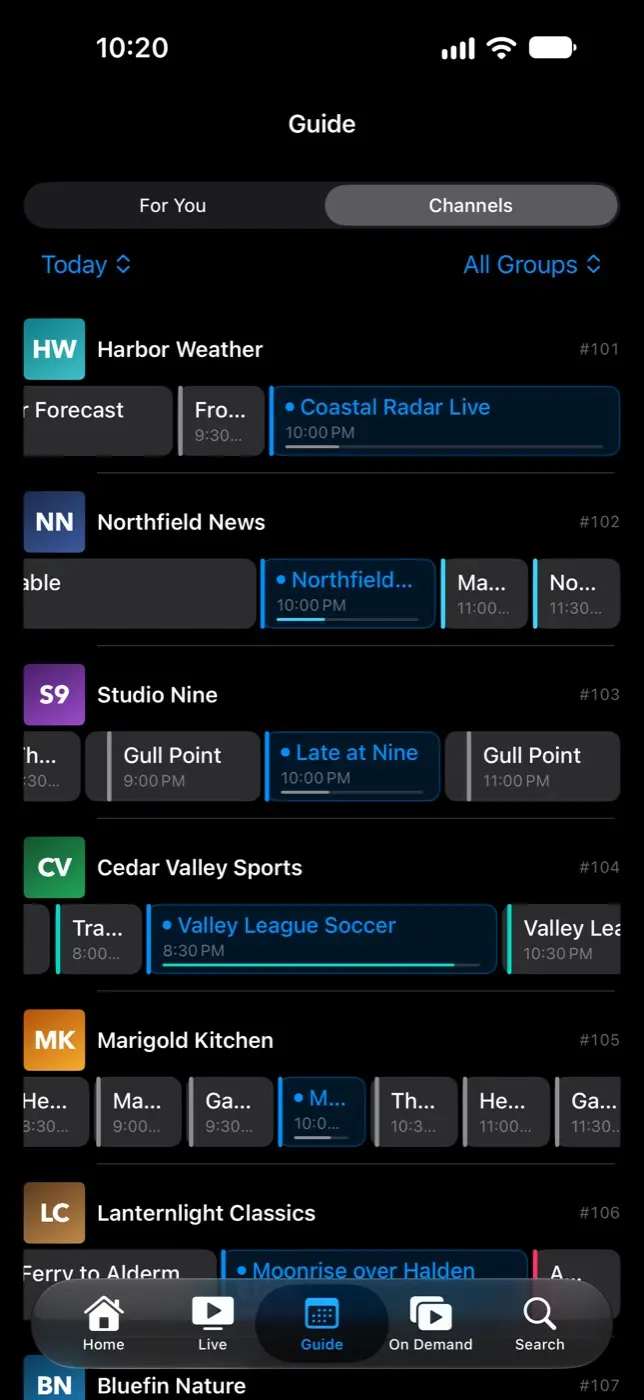
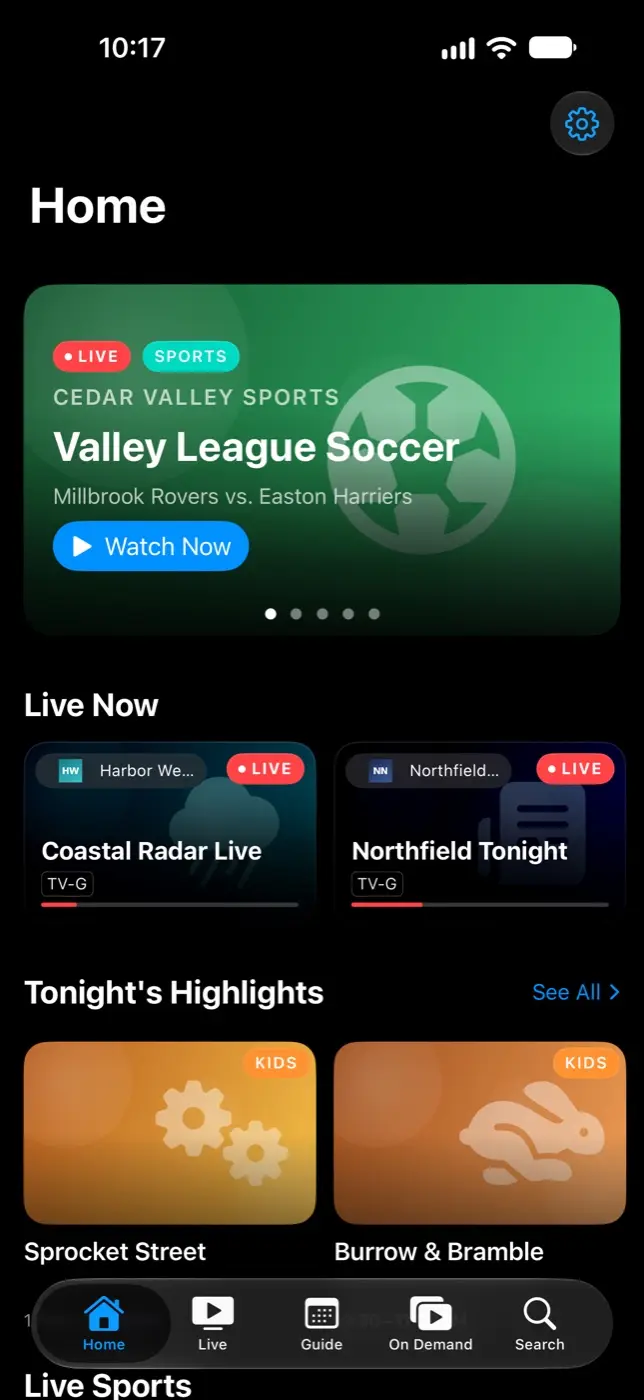
Streamline is an IPTV player for iPhone, iPad, Mac, Apple TV and Vision Pro. It plays the playlists and program guides you already have. It is one SwiftUI codebase, with each platform built around its own input: touch, keyboard, the Siri Remote, or eyes and hands. It is in development and due in 2026, as a single purchase.
An IPTV playlist is just a list of channels. The guide data that makes it watchable usually arrives as a large, compressed XML file that most players handle poorly. And on Apple TV especially, a player has to get focus, remote input and channel changes exactly right, or it feels broken however good it looks. Streamline treats the guide and the channel change as the core of the product, not as features.
What it does
Plays your own playlists
M3U and M3U8 playlists, the Xtream Codes API and XMLTV guides.
A seven-day guide
Every channel gets a timeline that opens at the current time, with now and next, genre filters and the week ahead.
Quick channel changes
A mini-guide overlay, gesture controls, a sleep timer and picture in picture.
A home screen from your guide
Rows for what’s live now, tonight’s highlights, live sports and movies starting soon, plus a PIN-locked kids zone.
Programme details from TMDB
Posters, cast and ratings for guide programs and for your provider’s on-demand library.
Profiles that sync
Several profiles with parental controls, and favorites synced over iCloud.
How it’s built
Channel changes have a time budget
The player swaps items rather than rebuilding the video layer. A small pool of warm players pre-buffers the channels you are likely to switch to next, in the direction you have been switching, and the stream format that worked last time is remembered per channel so the fallback sequence isn’t repeated. A signpost measures every change from tap to first frame.
The guide parser streams
A gzipped XMLTV file is decompressed to disk and read with a streaming parser, which first checks the opening bytes to catch an HTML error page posing as a guide. Programmes are sorted per channel, so “what’s on now” is a binary search, and a compressed disk cache lets the app open without a network.
Predictable focus on Apple TV
The player’s on-screen controls run on a five-state machine that replaced four separate flags and their sixteen combinations; only one element can hold focus at a time, so the focus engine never has to choose. The guide grid never recycles the focused cell, and when it rebuilds it keeps you at the same time of day, not the same scroll offset.
Large catalogs on SQLite
Channels live in SQLite with a full-text index for search, and lists load in pages. The Apple TV work was tested against a synthetic catalog of about 80,000 channels.
How Streamline adapts to each Apple platform
Aspect
iPhone and iPad
Apple TV
Mac
Vision Pro
Input
Touch and swipe
Siri Remote and the focus engine
Keyboard, pointer and menu commands
Eyes and hands
Navigation
Tab bar
Top tab bar
Split view
Split view
Guide
A list on iPhone, a grid on iPad
Grid
Grid
Grid
Player
Full screen
Full screen
In the window
Inline
Lists
Swipe actions and context menus
Context menus, driven by focus
Context menus
Context menus
One SwiftUI codebase, four idioms. A root view picks a separate shell for each platform,
so each one gets the navigation and input its users expect.
Streamline is in development and due in 2026, as a single purchase with no subscription.