What’s new in 0.12
Released 3 November 2026, the day after 0.11. A fifth tab makes puzzle books about what you love, and the AI that clues them runs on your own Mac from a page that sets itself up. Everything below is in the download; nothing is promised ahead of it.
A Puzzles tab, and books about what you love
Puzzle books were a command. Now they are a tab, with four more kinds, and a crossword can be about your own interests.
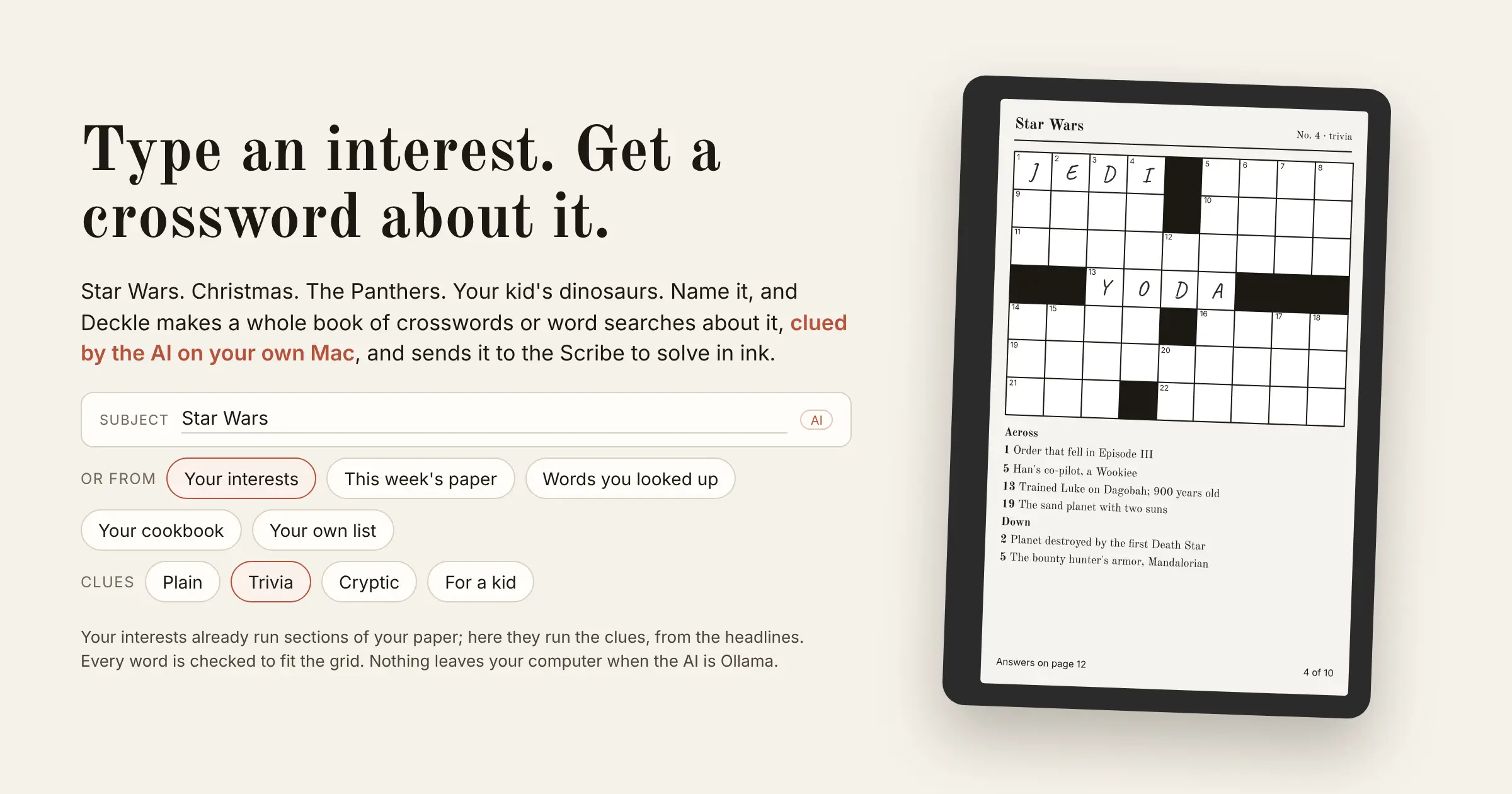
- Type an interest, get a crossword about it.
- A theme for a crossword or word search: your interest sections (pick which) or the whole week’s paper, with the week’s headline words as answers and the headline as the clue; the words you looked up on the Kindle, clued with the definition you tapped; your cookbook’s dishes and ingredients; your own list; or a subject the AI writes about, words and clues both.
- Clues in a style.
- With the AI on, any crossword’s clues can be rewritten as trivia, cryptic, or for a kid, one request a puzzle, every clue checked so it never names its answer. A puzzle whose request fails keeps its plain clues.
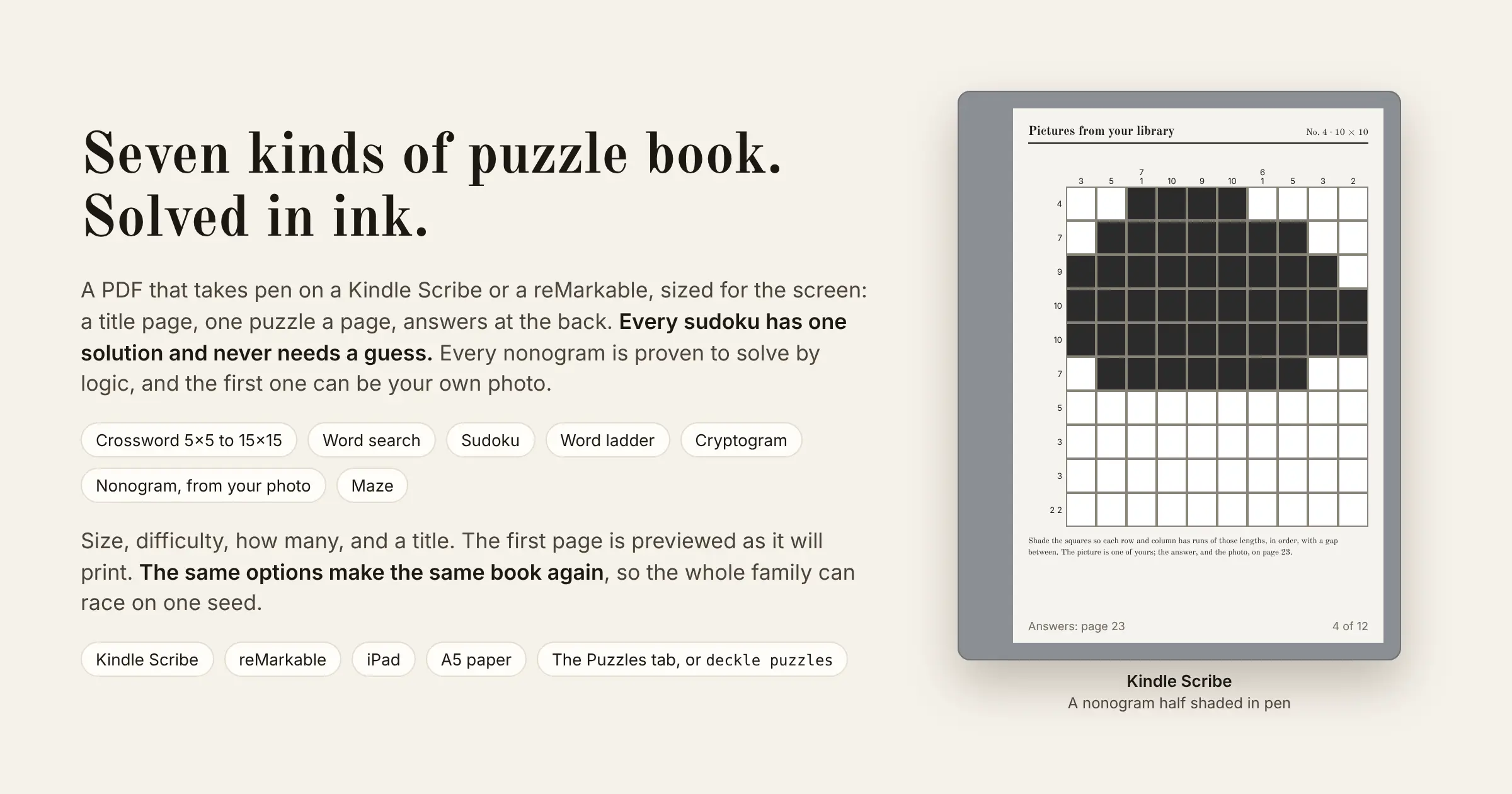
- Seven kinds.
- Crossword, word search and sudoku, and now word ladders (three a page, the rungs by difficulty), cryptograms (public domain quotes or your own, letters given by difficulty, a key to work in), nonograms (Deckle’s pictures and shapes, every one solvable by line logic, or your own photo as the first puzzle) and mazes (6 to 40 a side, the path drawn in the answers).
- The tab.
- Pick a kind, size, difficulty, count, screen and title, and watch the first page as it will print. Every book is kept with the options that made it, so Make again gives the same book; Send copies it to the plugged-in Kindle and Save a copy puts it in a folder. The same on the command line: deckle puzzles crossword --theme interests --clues trivia.
An AI on your own Mac, with nothing to configure
Running a local model used to mean a terminal, a model name and a context size you had to know about. Now it is a checklist.
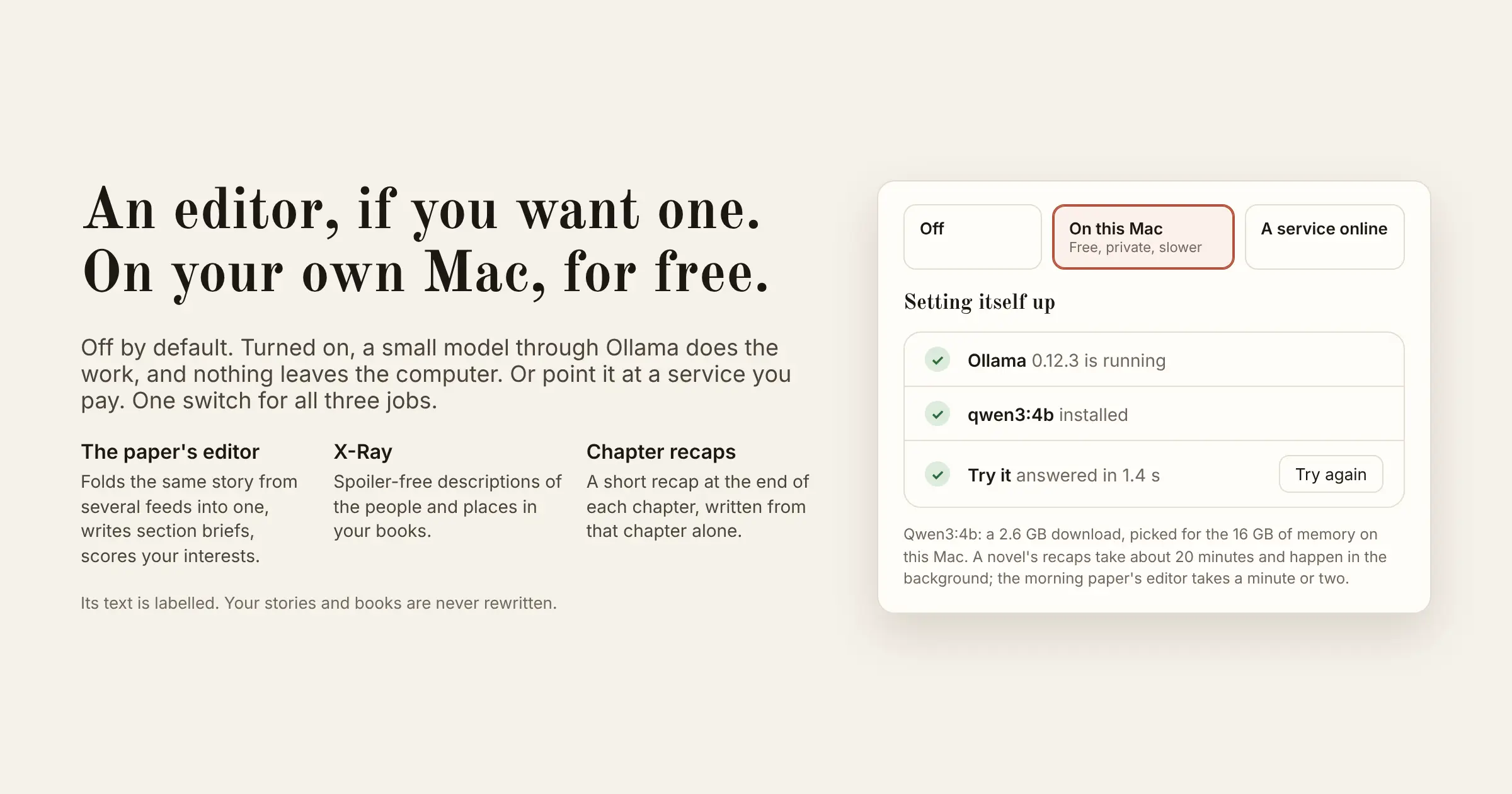
- Settings, AI.
- One page for where the AI runs, for X-Ray, chapter recaps, the paper’s editor and puzzle clues alike: Off, On this Mac, or A service online. On this Mac fills itself in: Ollama running (with a Get Ollama button and a check every few seconds until it answers), the model installed (Download, with a progress bar and a Stop), and Try it. Advanced lists every model Ollama has and takes an address for Ollama on another computer.
- Ollama, spoken natively.
- Deckle talks to Ollama’s own API instead of its OpenAI-compatible shim, so it sets the context size itself (the paper’s editor used to overflow Ollama’s default silently), turns thinking off, holds the model to a schema, and needs no key. The model is qwen3:4b, or qwen3:8b on a machine with 16 GB or more. On the command line, deckle llm check says what is missing and deckle llm pull downloads the model.
- One setting for the paper too.
- A paper’s editor now runs where Settings, AI says, so there is nothing to copy between Books and the Daily. A paper that names its own provider keeps it, under Advanced on its sheet.
- In Docker.
- An Ollama service beside Deckle behind the ai profile, so the web app’s checklist works in the container with the address left blank.
The welcome shows the back pages
- A fourth page in the first-launch tour.
- The Mini with yesterday’s headlines as its answers, the word search, the word ladder, the almanac, the horoscope and On this day, how a Kindle’s notes mark the answers, the puzzle books to write on, From Your Shelf, and the AI model, with a link straight to Settings, AI.
Earlier
- 0.11, 2 November
- Books and the paper to a reMarkable over Wi-Fi, comics and manga fitted to every reader, the first puzzle books to solve in ink, AI recaps without spoilers, KOReader served and managed, the bridge to calibre, and a Who’s who page on a Kobo or PocketBook.
- 0.10, 30 October
- Deckle on Linux: a container that prints the paper headless and serves the app to a browser, email-only papers without Kindle Previewer, and a new icon.
- 0.9, 28 October
- No more console windows on Windows, Save recipe on sites that block apps, and a plain word when a site refuses Deckle.
- 0.8, 28 October
- The Kitchen Book cookbook, a Daily that looks printed, and newspaper columns in the PDF edition.
- 0.7, 26 October
- A redesigned app, interests, many papers, papers you subscribe to, ten masthead faces.
The full history, version by version, is in the changelog.