 Deckle
Your morning paper, printed on your Kindle.
Every morning Deckle sets a real newspaper on your own computer, from your town’s news and weather, your feeds and the articles you saved, and has it waiting on your Kindle before you’re up. It also turns the books you own into Kindle books that read like the store’s.
- Price
- Free and open source, GPL-3.0-or-later
- Runs on
- macOS 14 or later (Apple silicon and Intel), Windows 11
- Needs
- A Kindle, and Kindle Previewer 4, free from Amazon
- Status
- Pre-alpha, version 0.3.1. Verified on a Kindle Scribe (2024) and a Kindle Paperwhite, other models pending. The Daily is a preview.
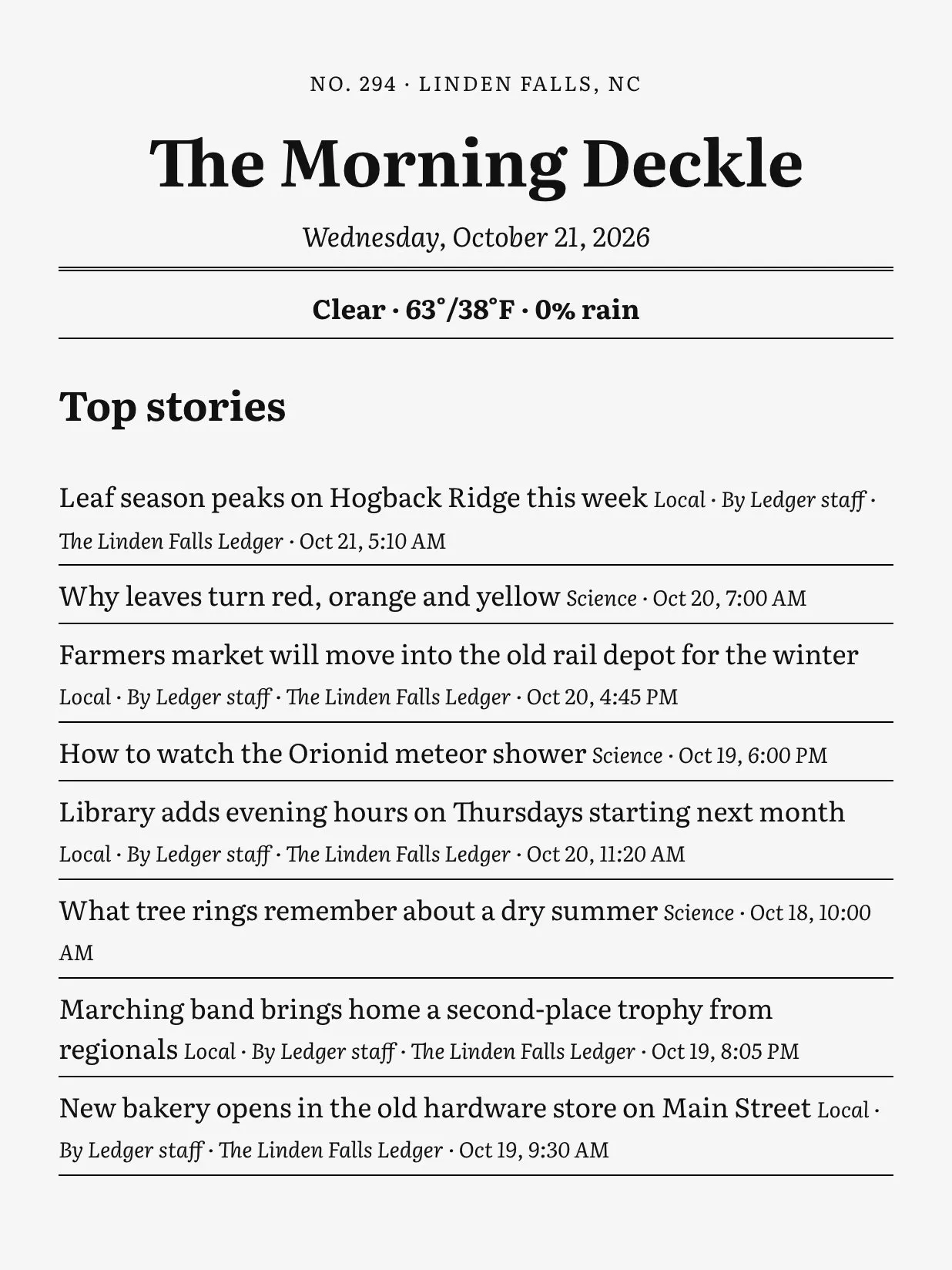
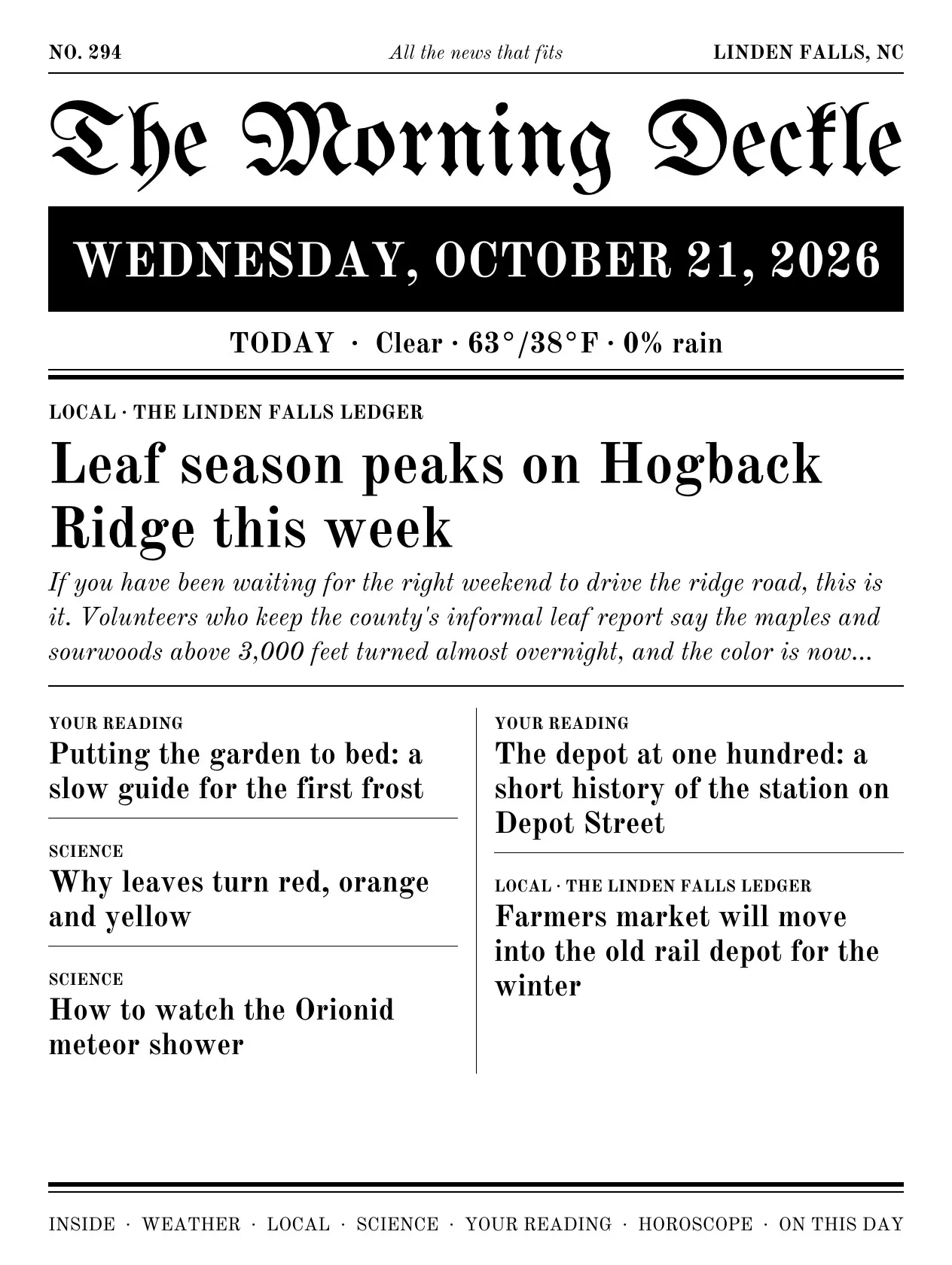
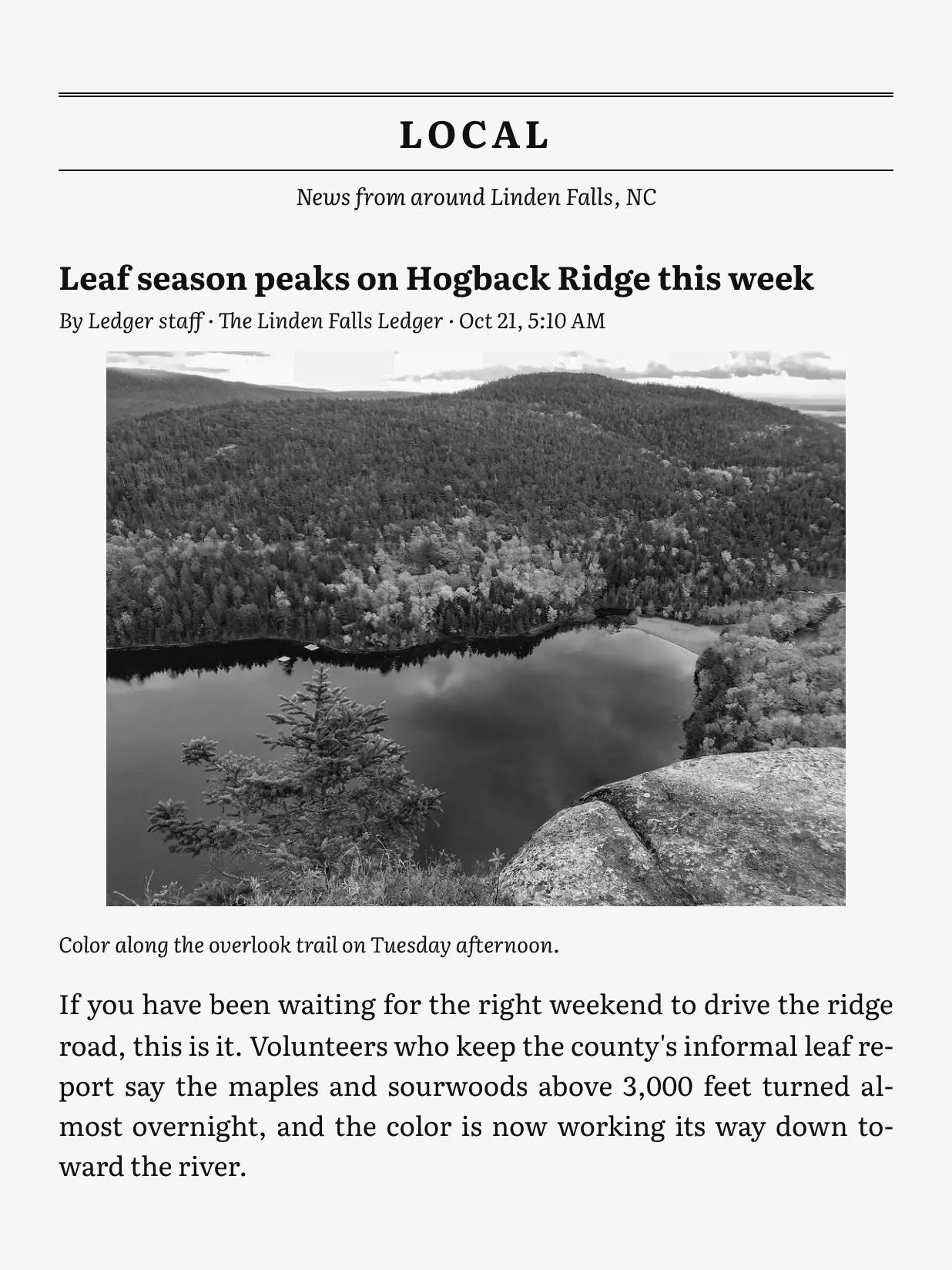
A demo edition: Linden Falls and its stories are fictional. Photos are public domain.
A newspaper, not a feed
E-ink is the closest a screen gets to paper. Deckle gives it a paper worth reading.
- The front page is the cover
- Deckle sets a front page every morning, with the masthead, the date, the weather and the lead headlines, and makes it the cover. Your Kindle’s library tile is today’s paper.
- Whole stories, with photos
- Every story comes in full, pulled from the publisher the way Reader View does, with its photos turned grayscale for e-ink. Nothing sends you to a browser. A story behind a paywall stays a headline.
- Your town, your feeds
- The weather from Open-Meteo, local news from a Google News search and any local paper’s feed, then each RSS or Atom feed you add as its own section, in the order you choose.
- The back pages
- A horoscope Deckle writes itself, On this day from Wikipedia, and the Powerball and Mega Millions numbers, if you want them.
- Nothing to sign up for
- No keys, no accounts, no subscription. A source that fails prints “unavailable today” and the paper still comes out.
- A real newspaper on e-ink
- Sections in order, an index inside, and navigation from section to story, so it reads like a paper, not a pile of links.
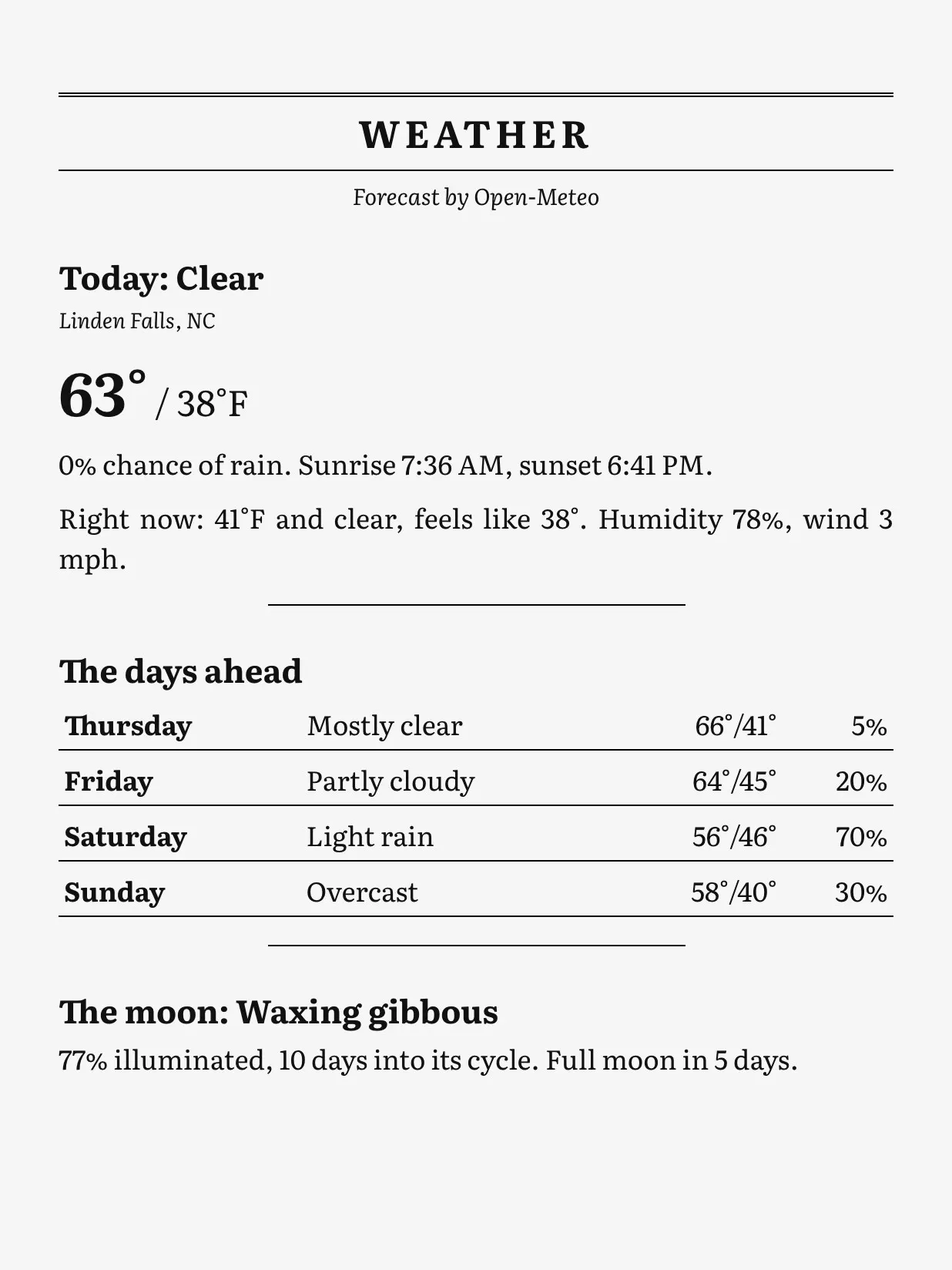
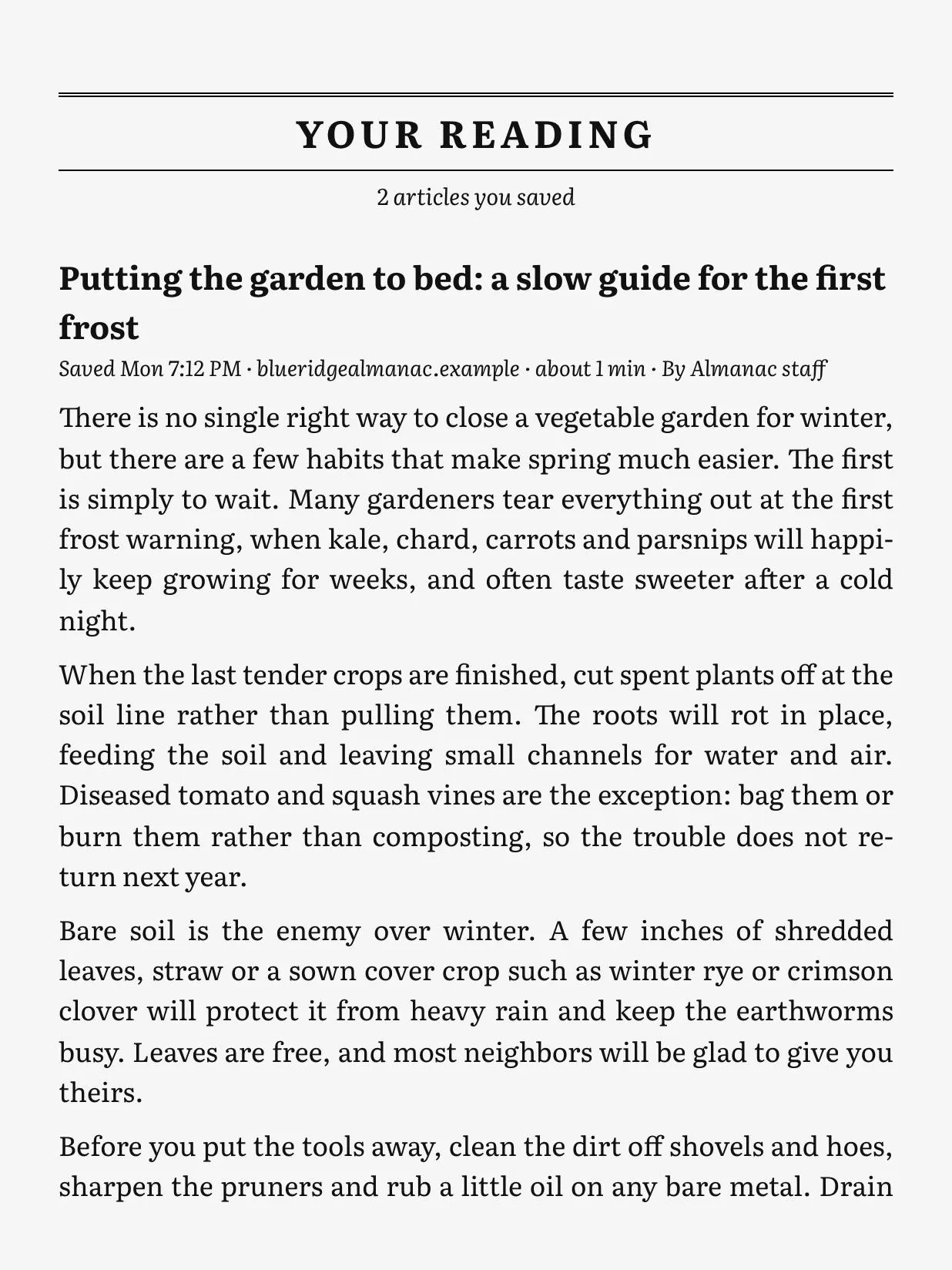
On the doorstep by 5:30
Pick a time and Deckle builds the paper every morning. Plug the Kindle in and today’s edition goes straight over, or let it arrive over Wi-Fi by email through your own mail account. Only the newest three stay on the Kindle, so yesterday’s papers don’t pile up.
A Mac asleep at 5:30 builds the paper when it wakes. The paper always keeps its front page as the cover, on every Kindle. The Daily reference has every setting.
Save it for tomorrow
Find something worth reading during the day and save it: with the bookmarklet in your browser, by dropping the link into Deckle’s Inbox folder, or from your iPhone with a Shortcut that saves to iCloud Drive. It prints in tomorrow’s paper as Your Reading, whole and with its photos. A long piece becomes its own book and rides along with the paper.
And every book you own, finished properly
The other half of Deckle, and where it started.
Books you load onto a Kindle yourself are second-class. Every fix exists as a separate plugin or forum recipe, and they fight each other. Deckle does all of it in one window: drop the books in, plug the Kindle in, press Send.
- Enhanced Typesetting
- The typesetting store books get, produced by Amazon’s own converter, Kindle Previewer, which Deckle drives for you.
- A cover that stays
- Sideloaded covers tend to turn grey once a Kindle goes online. Deckle picks, per Kindle, how to keep yours.
- X-Ray and Word Wise
- The people and terms in the book, with optional descriptions from an AI model you choose, and Word Wise hints pointing at the Kindle’s own dictionary.
- Page numbers and real metadata
- Approximate page numbers from the text, and missing titles, authors and series filled from Open Library if you turn that on.
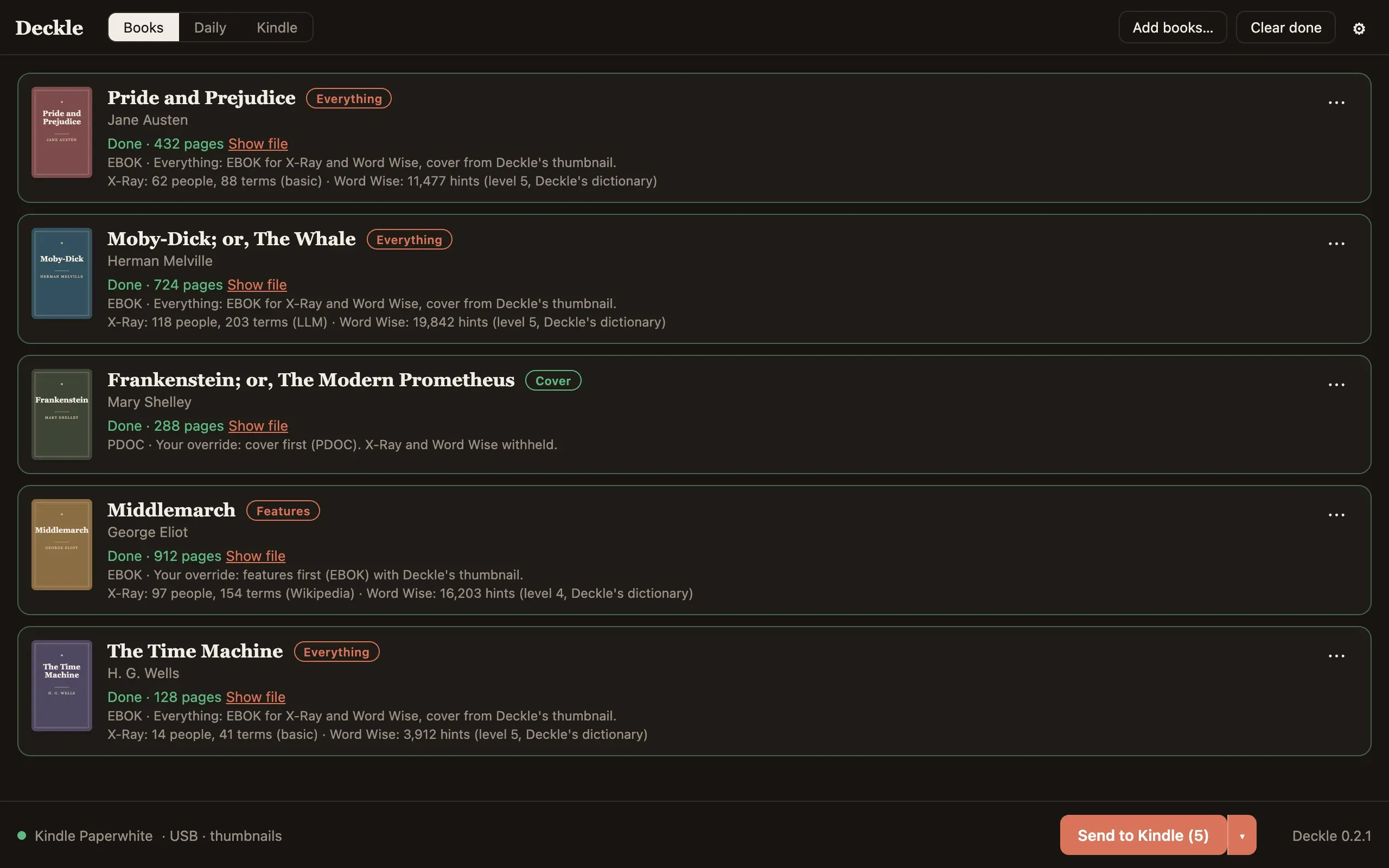
Covers and features pull in opposite directions
A Kindle only loads X-Ray and Word Wise for books it files as store books, and it gives a store book it doesn’t recognise a grey cover. Personal documents keep their cover but get neither feature. Deckle reads each Kindle when it connects and makes the choice for that device:
- Kindles that show as a USB drive
- Features and the cover: Deckle writes its own cover thumbnail and restores it on every send.
- Kindles that only speak MTP (Scribe 2024, Colorsoft, Paperwhite 2024)
- The cover wins, unless the book matches a real Amazon edition. Then you can have both.
- Exported to a folder
- The cover wins.
Word documents, plain text, web articles and finished KFX files go through the same pipeline. Choose a library folder and Deckle keeps every book you send as plain folders, and the Kindle tab shows what is on the device and what Deckle can now build better.
What goes over the network
Nothing about you, ever. No account, no subscription, no telemetry.
| What | When | Default |
|---|---|---|
| The paper’s sources: Open-Meteo, a Google News search, your feeds and saved links, Wikipedia’s On this day | Each edition you build | Off until set up |
| The paper by email, through your own mail account | Each morning paper | Off |
| A check for a newer Deckle, on GitHub; nothing installs without a click | When the app starts | On |
| Word Wise dictionary, 12 MB, from Deckle’s own releases | Once, the first time a book gets Word Wise | On |
| Descriptions for X-Ray, from Anthropic or any OpenAI-compatible endpoint, including a local Ollama | Each book with features | Off |
| Wikipedia summaries for X-Ray terms | Each book with features | Off |
| Amazon edition lookup and missing book details, through Open Library | Books sent | Off |
A Kindle may itself ask Amazon about a book sent with features, because it carries an ASIN. That is the Kindle’s doing; sending as a personal document avoids it. A paper sent by email goes through Amazon, which typesets it its own way.
Install
-
Install Kindle Previewer 4
It is free from Amazon. Deckle drives it to typeset books and the paper, and never bundles it.
-
Download Deckle
From the latest release. On a Mac, open the
.dmgand drag Deckle to Applications; it is signed and notarized by Apple. On Windows, run the code-signed-setup.exe, which installs for your user with no admin. A new certificate can still bring up SmartScreen: choose More info, then Run anyway.From version 0.3.0 on, Deckle updates itself: the footer says when a new version is out, and Settings, About, Update installs it. Coming from 0.2.x, install the latest by hand once; on Windows, uninstall a 0.2.x
.msifirst. -
Set up your paper, plug in your Kindle
Name the paper and pick your town and feeds on the Daily tab, then turn on the morning schedule. For books, drop EPUBs on the window and press Send to Kindle. Close calibre and Android File Transfer first: only one program at a time can talk to an MTP Kindle.
Everything the app does, the command line does too:
deckle digest init
deckle digest run --to device
deckle digest schedule --at 05:30
deckle run book.epub --to device
Linux is unsupported: Kindle Previewer does the converting, and it only runs on Mac and Windows. To build from source you need Rust, Node 22 and pnpm; the README has the details.
Being built right now
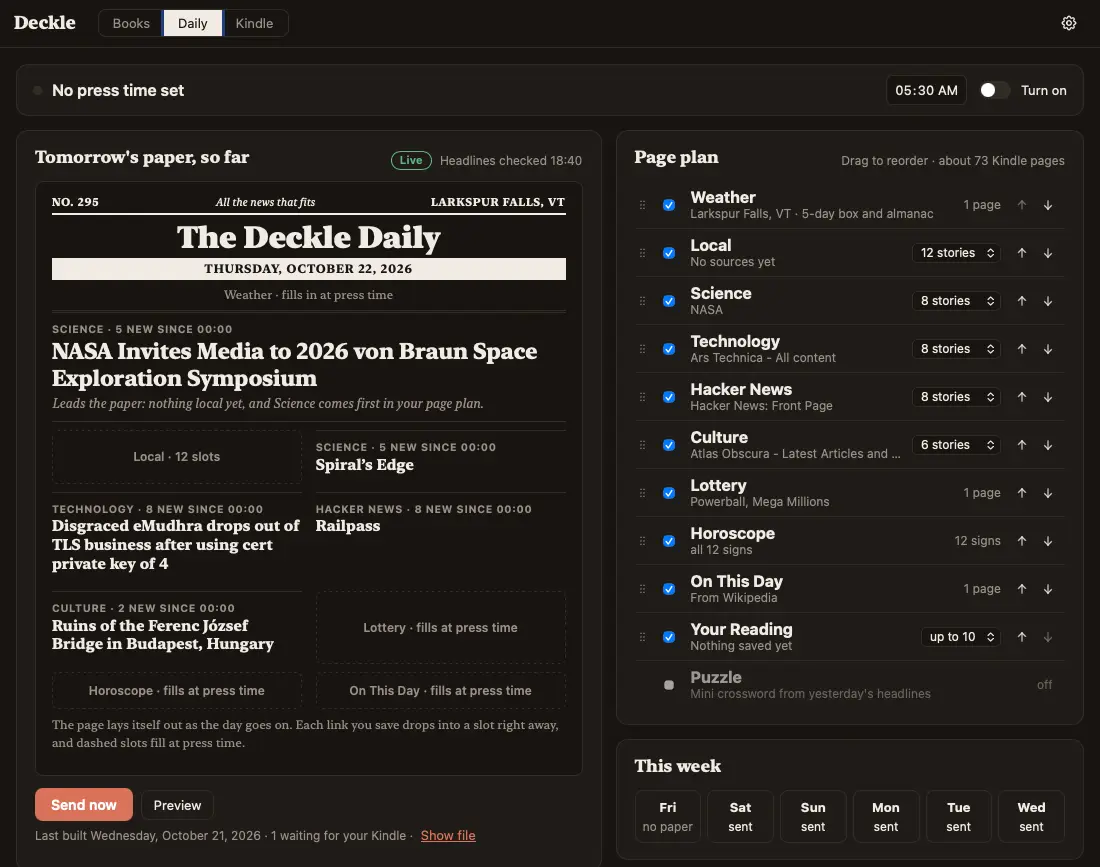
On the main branch today and not in the download yet. It ships in the next release. The screenshot above is this build.
- Tomorrow’s paper, so far
- The Daily tab opens on the next edition: a press bar with a countdown and a Stop the presses button, a live sketch of the front page that fills in as you save articles and your feeds post, a page plan you drag to reorder, and the week’s reads.
- Local news for more places
- Add a relative’s town or a vacation spot and each gets its own local section after yours. Weather stays on your place.
- A puzzle page
- A five by five mini crossword whose theme answers are yesterday’s headlines, a word ladder, and yesterday’s answers. Answer a clue as a Kindle note and the next paper tells you how many you solved.
- Weather and almanac
- A five-day strip, sunrise and sunset worked out on your Mac, the usual first frost for your place, the moon and the meteor shower of the night.
- Your Day
- Today’s events from your calendar files on the page, with a line when rain is likely during one.
- Highlights out, and how far you read
- Highlights and notes from the Kindle as Markdown, one file per book, in a folder you choose. And a local-only readout of which sections of the paper you actually reach.
Designed and waiting for code, each with a written plan:
On the bench
From the open issues. No dates promised; every feature is designed in the open before it is built. The whole roadmap.
Next
Credits
Deckle stands on research and code from the MobileRead community: jhowell’s KFX Input and Output and kfxlib, of which Deckle’s KFX writer is a Rust port; jloutsch’s kfxgen; xxyzz’s WordDumb and Proficiency; seapy’s kindle-cli; and calibre’s Kindle driver. Word Wise definitions come from Wiktionary through kaikki.org, and word frequencies from wordfreq, both CC BY-SA 4.0. The paper’s weather comes from Open-Meteo and On this day from Wikipedia.
The demo paper on this page is fictional: Linden Falls and its stories were made up for it. Its photos are public domain. Kindle Previewer is Amazon’s and is never bundled. Kindle is a trademark of Amazon.com, Inc. Deckle is not affiliated with Amazon.
Deckle is free and open source. Bug reports and pull requests are welcome.